
If someone in Hyderabad searches for a business like yours right now, does your listing show up — with the right hours, the right photos, and enough reviews to earn a click? For most small and mid-sized businesses, the honest answer is “not really.” A Google Business Profile (GBP) is one of the highest-impact, lowest-cost marketing assets a local business can own, yet most owners set it up once and never touch it again. This guide walks through exactly how to optimize your GBP so it works as hard as the rest of your marketing.
What Is a Google Business Profile and Why It Matters for Hyderabad Businesses
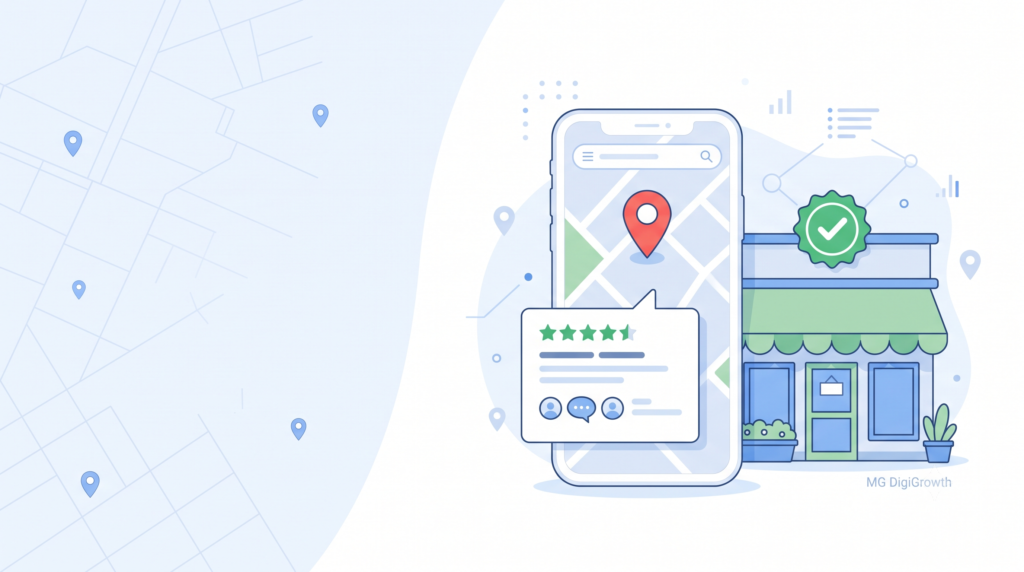
A Google Business Profile is the free listing that appears when someone searches for your business by name, or searches for a service near them — think “waterproofing contractor near me” or “passport agent in Hyderabad.” It shows up in Google Maps, in the local “map pack” at the top of search results, and directly influences whether a nearby customer picks up the phone or walks past you to a competitor.
For local businesses competing in a crowded city like Hyderabad, GBP is often more valuable than the website itself, because it’s the first thing a nearby, ready-to-buy customer sees. A well-optimized profile directly improves local search visibility, click-through rate, and the number of calls or direction requests a business receives.
Common GBP Mistakes Local Businesses Make
- Leaving the business category as something generic instead of the most specific option available
- Using a stock or copied business description instead of one written around real services and locations served
- Uploading only a handful of photos, or none at all, after the initial setup
- Ignoring reviews — especially not responding to negative ones
- Inconsistent business name, address, or phone number across the website, GBP, and other directories
- Never using the “Posts” feature, so the profile looks inactive
Step-by-Step Guide to Optimizing Your Google Business Profile
Claim and Verify Your Listing
This is the foundation. An unclaimed or unverified listing can be edited by anyone, including competitors, and won’t show the full range of features. Verification is usually done by postcard, phone, or email through the Google Business Profile Manager.
Choose the Right Business Categories
Pick the most specific primary category available — “Waterproofing Contractor” instead of just “Contractor,” for example. Add relevant secondary categories, but don’t stuff the profile with categories that don’t genuinely apply; Google penalizes irrelevance more than it rewards volume.
Optimize Your Business Description
Use the 750-character description to naturally include your core services, the areas of Hyderabad you serve, and what makes the business different. Avoid keyword stuffing — write it for a human first, and let the relevant terms appear because they genuinely describe the business.
Add High-Quality Photos and Videos
Profiles with more photos consistently get more direction requests and website clicks than profiles with few or none. Add real photos of the storefront, team, completed work, and products — not stock images. Update them regularly rather than uploading once and forgetting.
Collect and Respond to Reviews
Reviews are one of the strongest local ranking signals and the first thing a potential customer reads before contacting a business. Ask satisfied customers for a review right after a job is completed, and respond to every review — positive or negative — professionally and promptly. A thoughtful response to a negative review often reassures future customers more than a string of five-star ratings alone.
Use Google Posts Regularly
The Posts feature lets a business share offers, updates, and announcements directly on the profile. Regular posts signal an active, well-maintained business to both customers and Google’s ranking systems.
Keep NAP (Name, Address, Phone) Consistent
The business name, address, and phone number should match exactly across the website, GBP, and any other directories the business is listed on. Inconsistencies confuse both customers and Google, and can quietly hurt local rankings.
Add Products, Services, and FAQs
Listing specific services or products, and filling in the Q&A section proactively, gives potential customers the information they need without having to call — and gives Google more relevant content to match against local searches.
How GBP Optimization Supports Local SEO
Google Business Profile and local SEO aren’t separate efforts — they reinforce each other. Local rankings are influenced heavily by three factors: relevance (how well the profile matches the search), distance (how close the business is to the searcher), and prominence (how well-known and well-reviewed the business is). A fully optimized GBP directly strengthens relevance and prominence, which is why it should sit at the center of any local SEO strategy rather than as an afterthought.
Common Questions About Google Business Profile Optimization
How long does it take to see results from GBP optimization?
Most businesses start noticing improved visibility within four to eight weeks of consistent optimization, though this varies by competition level and category.
Is Google Business Profile free to use?
Yes. Creating, verifying, and managing a Google Business Profile is completely free. Paid ads can appear alongside it, but the organic listing itself costs nothing.
How often should a business update its GBP?
Photos, posts, and offers should ideally be updated at least a few times a month. Business information like hours and services should be reviewed and corrected as soon as anything changes.
Conclusion
A Google Business Profile is not a one-time setup task — it’s an ongoing asset that rewards regular attention with more calls, more direction requests, and more customers who choose you before they even visit your website. If your profile hasn’t been touched since it was created, that’s the single highest-leverage marketing fix available right now.
Looking to get your Google Business Profile fully optimized and managed on an ongoing basis? Get in touch with MGDigiGrowth for a free profile audit.